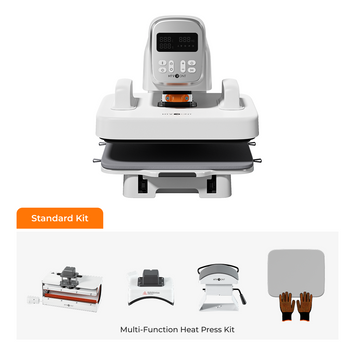
Yes, you can iron on permanent vinyl — but only when it's truly necessary. Vinyl materials are sensitive to heat and can easily be damaged if the temperature is too high or the pressure is uneven. If you've ever asked "Can you iron on permanent vinyl?" — the answer is nuanced. This guide explains when it makes sense, how to do it safely, and what to watch out for.
In this article, you'll learn how to heat press permanent vinyl, the precautions and tips for ironing permanent vinyl, and answers to the most common FAQs.
Can You Iron on Permanent Vinyl?
Permanent adhesive vinyl isn't designed for heat application — but a gentle iron can enhance adhesion on certain surfaces when done correctly.
Permanent adhesive vinyl has a pressure-sensitive backing that sticks without heat, unlike HTV which requires heat to activate. When you iron on permanent vinyl, you're using heat to strengthen the adhesive bond — but this only works on certain surfaces and requires careful temperature control.
Heat Transfer Vinyl (HTV) is the material most people actually mean when they talk about ironing on designs. HTV is specifically engineered for heat application and bonds differently than adhesive vinyl. If you're applying vinyl to fabric, HTV is almost always the better choice.
Permanent Vinyl vs. HTV: What's the Difference?
Understanding the difference between adhesive vinyl and HTV is essential — using the wrong type on the wrong surface will lead to peeling, bubbling, and frustration.
Feature
Permanent Adhesive Vinyl
Heat Transfer Vinyl (HTV)
Application
Peel-and-stick — no heat required
Requires heat and pressure
Best For
Hard surfaces: glass, wood, metal, plastic
Fabrics: cotton, polyester, blends
Wash Durability
Limited — not designed for washing
Excellent — survives 50+ washes
Stretch
Minimal
Good, especially stretch HTV
Ironing?
Optional, mild heat can help adhesion
Required for application
When in doubt, remember: fabric = HTV, hard surfaces = adhesive vinyl. Ironing permanent adhesive vinyl onto a t-shirt will not create a durable bond — it will peel after a few washes.
Things You Need for Iron-On Permanent Vinyl
Gather these supplies before you start — most are basic craft tools you likely already have.
HTV or permanent vinyl — depending on your project (HTV for fabric, adhesive vinyl for hard surfaces)
Fabric item or surface — t-shirts, bags, canvas, wood, glass, etc.
Heat-resistant sheet — Teflon sheet or parchment paper
Cutting machine — optional if using pre-cut vinyl
Lint roller — if working with fabric
Weeding tool
Transfer tape
A hard, flat surface to iron on
Basic Steps for Ironing Permanent Vinyl
Follow these nine steps to safely apply permanent vinyl with heat — whether you're working with fabric or hard surfaces.
Step 1: Preparing & Cutting Your Permanent Vinyl Design
Create your design in cutting software that's compatible with your vinyl cutter. This ensures accurate sizing and positioning. Alternatively, purchase pre-cut vinyl to skip the cutting step entirely.
Step 2: Weeding Your Cut Design
Using a weeding tool, carefully remove excess vinyl from around your design. Pay extra attention to inner pieces of letters and intricate details. Work slowly — rushing this step can stretch or tear the vinyl.
Step 3: Preparing Your Fabrics or Surfaces
Keep Fabrics Clean
Pre-wash fabrics to remove any chemicals or coatings that could reduce adhesion. Iron the fabric first to create a smooth surface. Use a lint roller to remove dust and lint.
Keep Surfaces Clean
For hard surfaces, ensure they're completely free of dust, oil, and moisture. Pre-heat the surface with an iron or heat press to remove any trapped moisture before applying vinyl.
Step 4: Positioning Your Vinyl
Position the vinyl on your fabric or surface without removing the backing. Use a ruler or visual guides to center the design accurately.
Step 5: Setting Your Iron Temperature
This is the trickiest part. Vinyl is heat-sensitive, so set your iron to medium heat — approximately 300°F to 320°F (150°C to 160°C). According to 3M's technical guidance, most vinyl films begin to soften at temperatures above 200°F, and prolonged exposure above 300°F can cause shrinking or warping.
Always test first: Press the heated iron onto a scrap piece of the same fabric or surface to verify the temperature is safe before touching your actual project.
For cotton and polyester, medium heat works well. For synthetic fabrics like nylon, use the lowest heat setting possible.
Step 6: Protecting Your Vinyl with Teflon or Parchment Paper
Place a Teflon sheet or parchment paper over your vinyl before ironing. This distributes heat evenly and prevents the vinyl from melting onto your iron — a critical step that's often skipped by beginners.
Step 7: Ironing Your Vinyl
Press the iron firmly over the design and move in small circles for 20–30 seconds. Don't glide the iron as you would during normal ironing — press, hold, and move in small circular motions. Cover the entire design evenly. Before switching off, gently lift an edge of the backing to check if it has adhered properly. If not, press for a few more seconds.
Step 8: Peeling the Backing
Allow the vinyl to cool for 2–3 minutes before peeling off the backing. Start from one corner and peel slowly at a 45-degree angle. If any part lifts with the backing, press it back down, apply heat for a few more seconds, let it cool, and peel again.
Step 9: Curing Your Vinyl
After cooling and peeling, the adhesive needs time to fully cure. Wait 24–48 hours before washing or using the item. This curing period ensures maximum bond strength and longevity.
✓ Iron-On Permanent Vinyl Quick Checklist
□ Choose the right vinyl type (HTV for fabric, adhesive for hard surfaces)
□ Cut and weed design carefully
□ Clean and pre-heat the surface or fabric
□ Set iron to 300–320°F (150–160°C) medium heat
□ Test temperature on scrap material first
□ Cover with Teflon sheet or parchment paper
□ Press in small circles for 20–30 seconds
□ Cool 2–3 minutes before peeling backing
□ Wait 24–48 hours before washing
Precautions and Tips for Ironing Permanent Vinyl
Temperature control and patience are the two most important factors — get these right and your vinyl will last for years.
Follow the manufacturer's recommended temperature and time settings for your specific vinyl. If you want even better results, reapply heat after peeling the carrier sheet: place parchment paper over the design and press for 5–10 seconds to strengthen the bond.
Always use a flat, firm surface — an ironing board is often too soft and can cause uneven pressure. Use a countertop or table instead. After application, give the vinyl time to cool completely before handling.
When washing fabric with applied vinyl, turn it inside out and use a cold cycle. Avoid high-heat drying or ironing directly on the vinyl surface.
Frequently Asked Questions
Quick answers to the most common questions about ironing permanent vinyl.
Can permanent vinyl be used on any fabric?
No. Permanent adhesive vinyl isn't designed for fabric — it won't survive repeated washing and its strong adhesive can damage delicate fibers. For fabric projects, use HTV instead, which is formulated for heat application and washing durability.
What surfaces can I apply permanent vinyl to?
Permanent adhesive vinyl works best on smooth, hard surfaces like glass, plastic, metal, and wood. These are ideal for home decals, outdoor signs, and car stickers. Always clean the surface thoroughly before application.
Is permanent vinyl waterproof?
Yes, permanent vinyl is generally waterproof and can withstand rain and sunlight. However, avoid putting items with permanent vinyl in the dishwasher — hand wash with mild soap and water to extend the vinyl's lifespan.
Is it possible to remove permanent vinyl?
Yes, permanent vinyl can be removed, but it may leave behind adhesive residue or damage the surface — especially on painted or delicate materials. Use heat (hair dryer) or a vinyl remover solution for easier removal, and test in an inconspicuous area first.
Between HTV and permanent vinyl, which is better for ironing on fabrics?
HTV is the clear winner for fabrics. It's engineered for heat application, stretches with the fabric, and survives 50+ washes. Permanent adhesive vinyl isn't designed for washing and will peel off quickly when applied to garments.
What temperature should I use when ironing permanent vinyl?
Set your iron to medium heat — approximately 300–320°F (150–160°C). For synthetic fabrics, use the lowest effective setting. Always test on a scrap piece first to avoid scorching or melting the vinyl.
When it comes to permanent vinyl, the golden rule is simple: use the right material for the right surface. For fabric, reach for HTV. For hard surfaces, peel-and-stick adhesive vinyl works perfectly without any heat at all. And when you do apply gentle heat to permanent adhesive vinyl — follow the steps above carefully, and your designs will stay put for years.
Ready to start pressing with confidence? Our heat press settings guide covers the correct time, temperature, and pressure for every vinyl type and surface — so your next project comes out perfect.


 Cart Unlocks Add-On Deals