Phase 1. Connection
First Connection
Step 1: Two ways to start connecting the LOKLiK iEngrave™
-
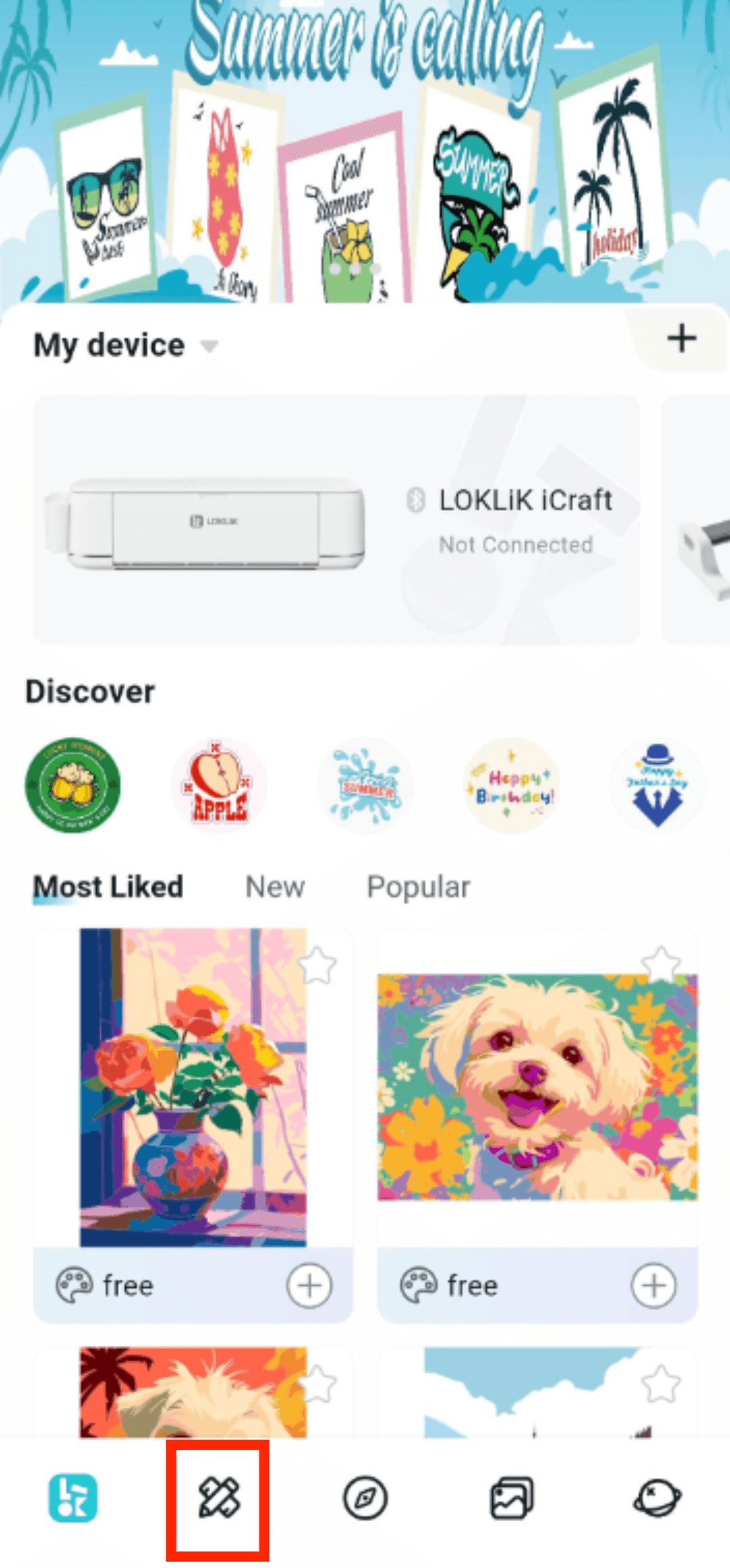
1.1 Tap "+" icon to add new device;
-
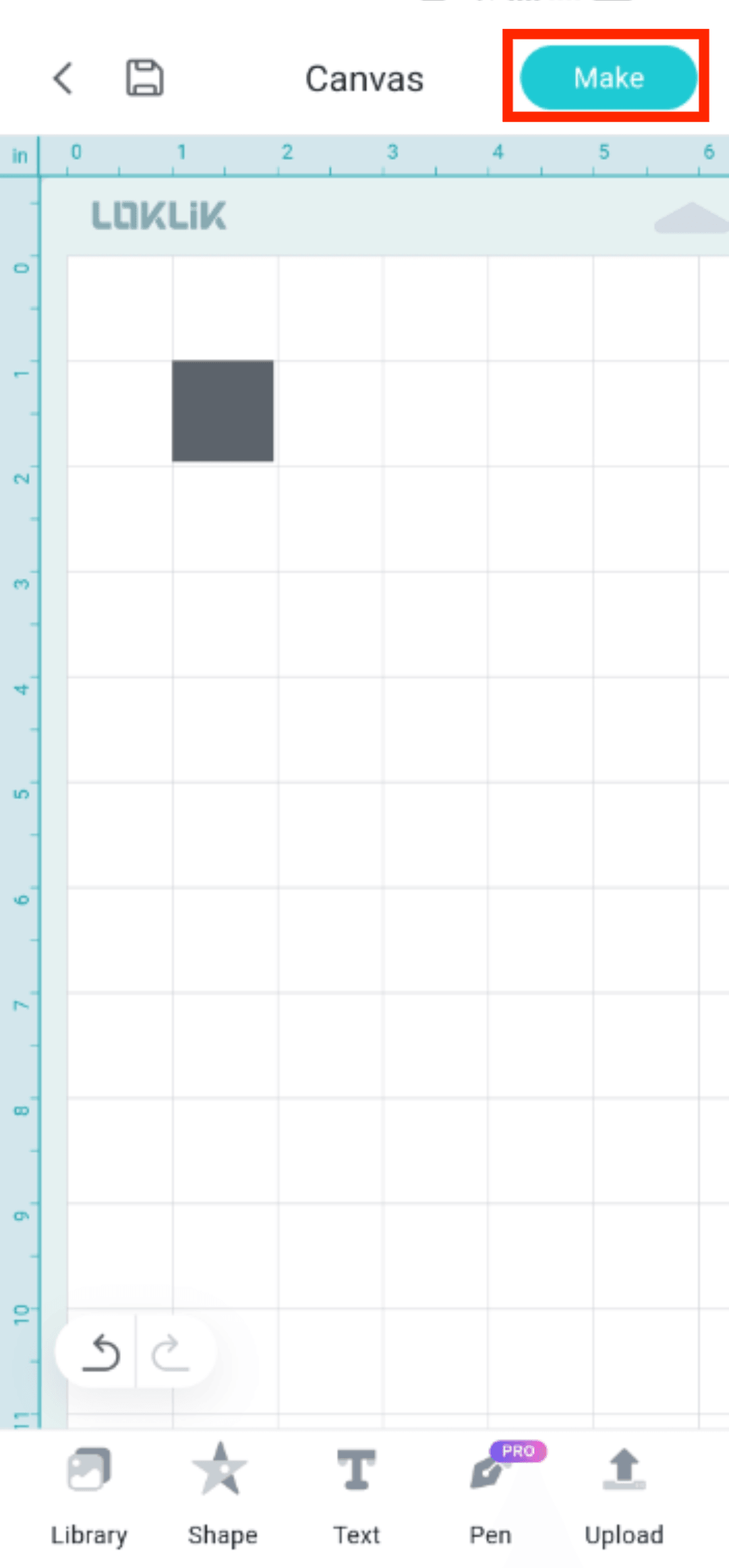
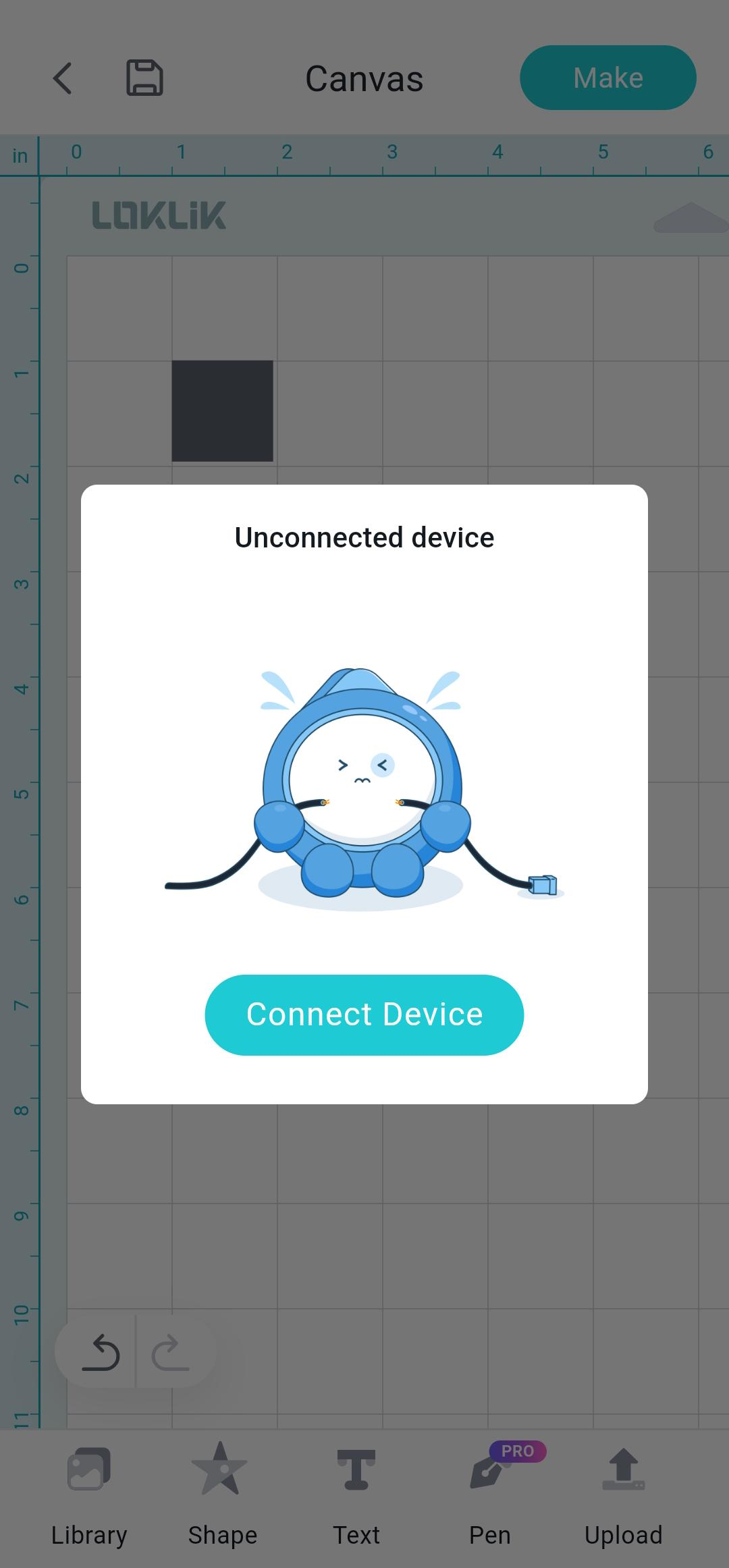
1.2 Go to "Canvas" and tap "Make" directly. Then the app will prompt "Unconnected Device" and tap "Connect Device" to start the connection.
Step 2: Select your LOKLiK iEngrave™

Step 3: Go to "Add Device" page
-
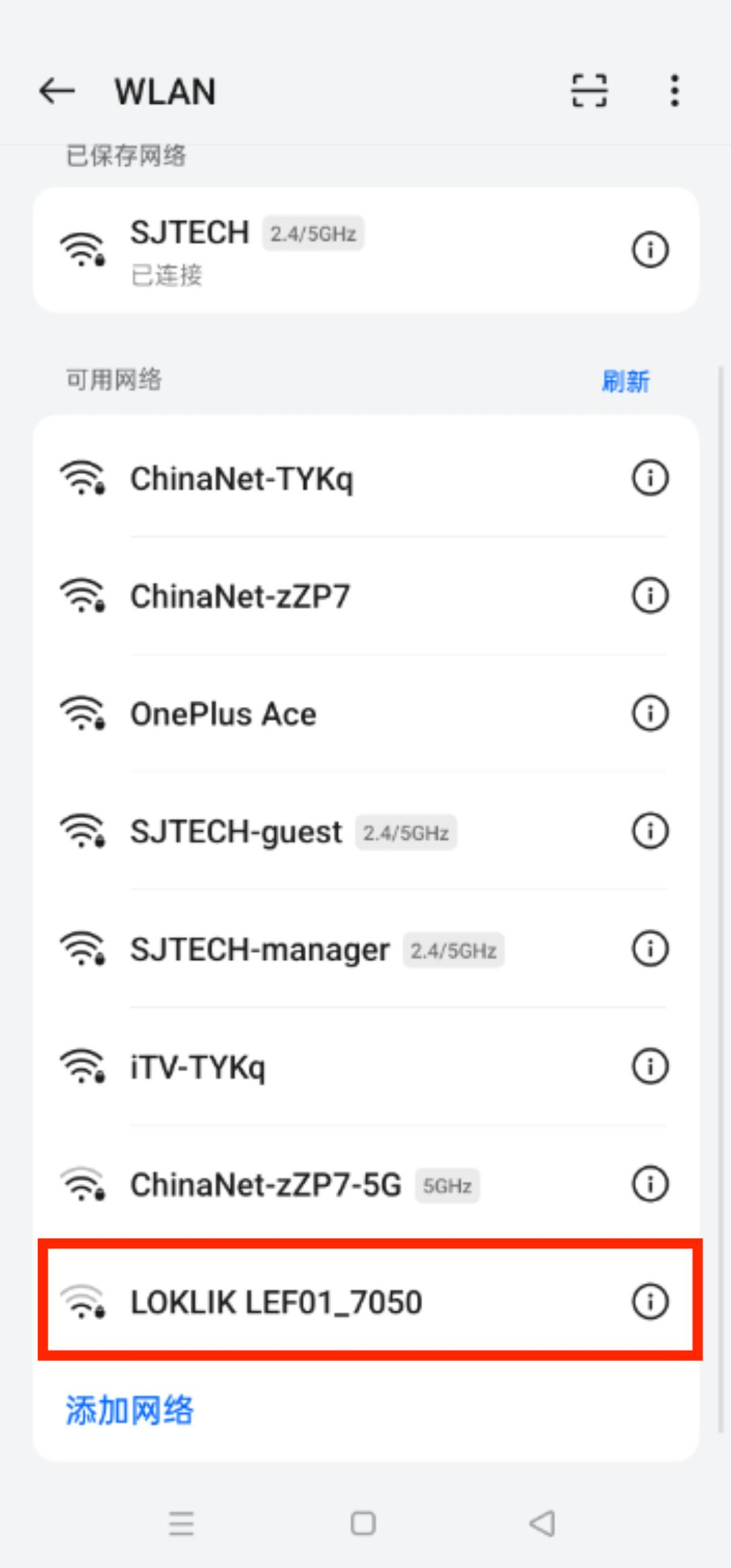
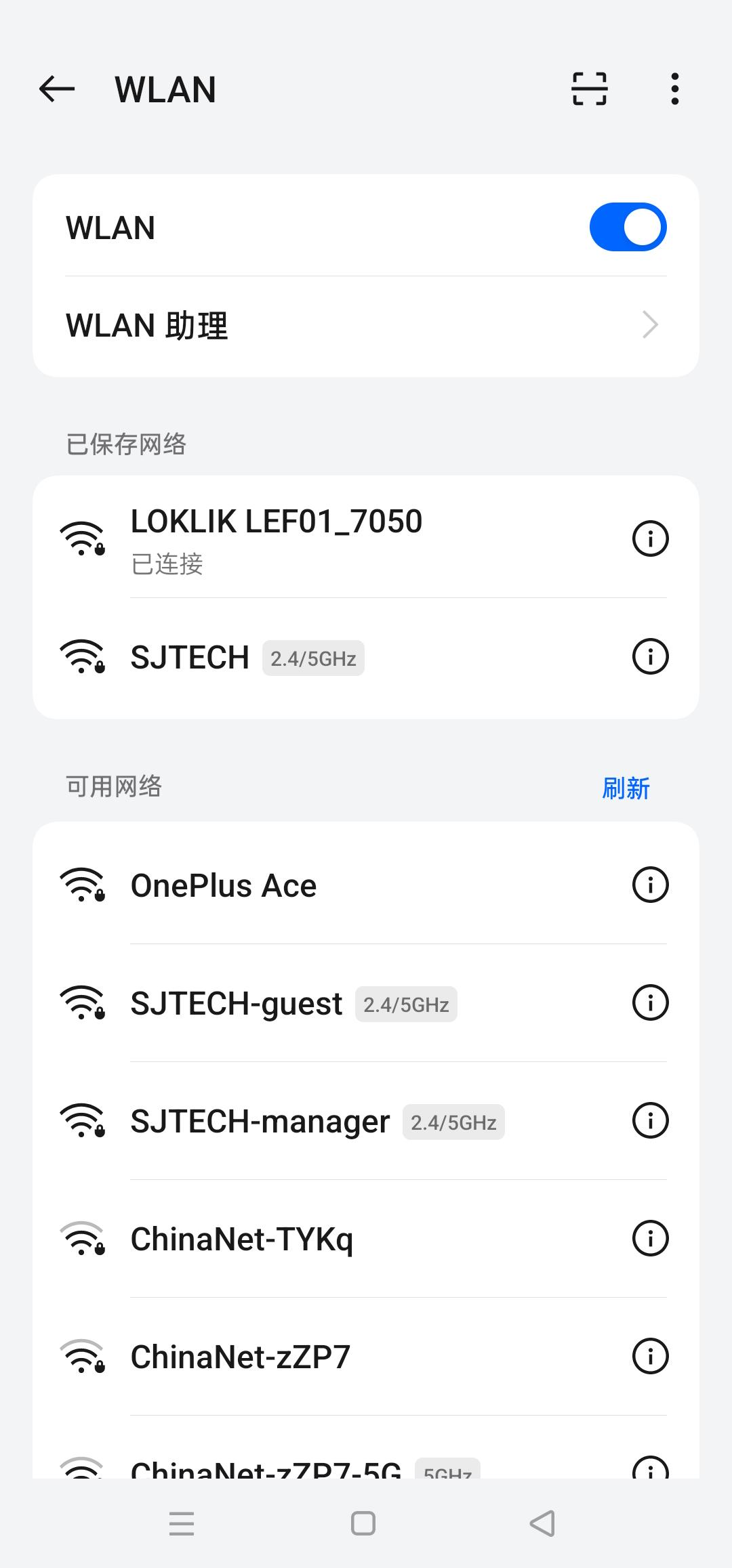
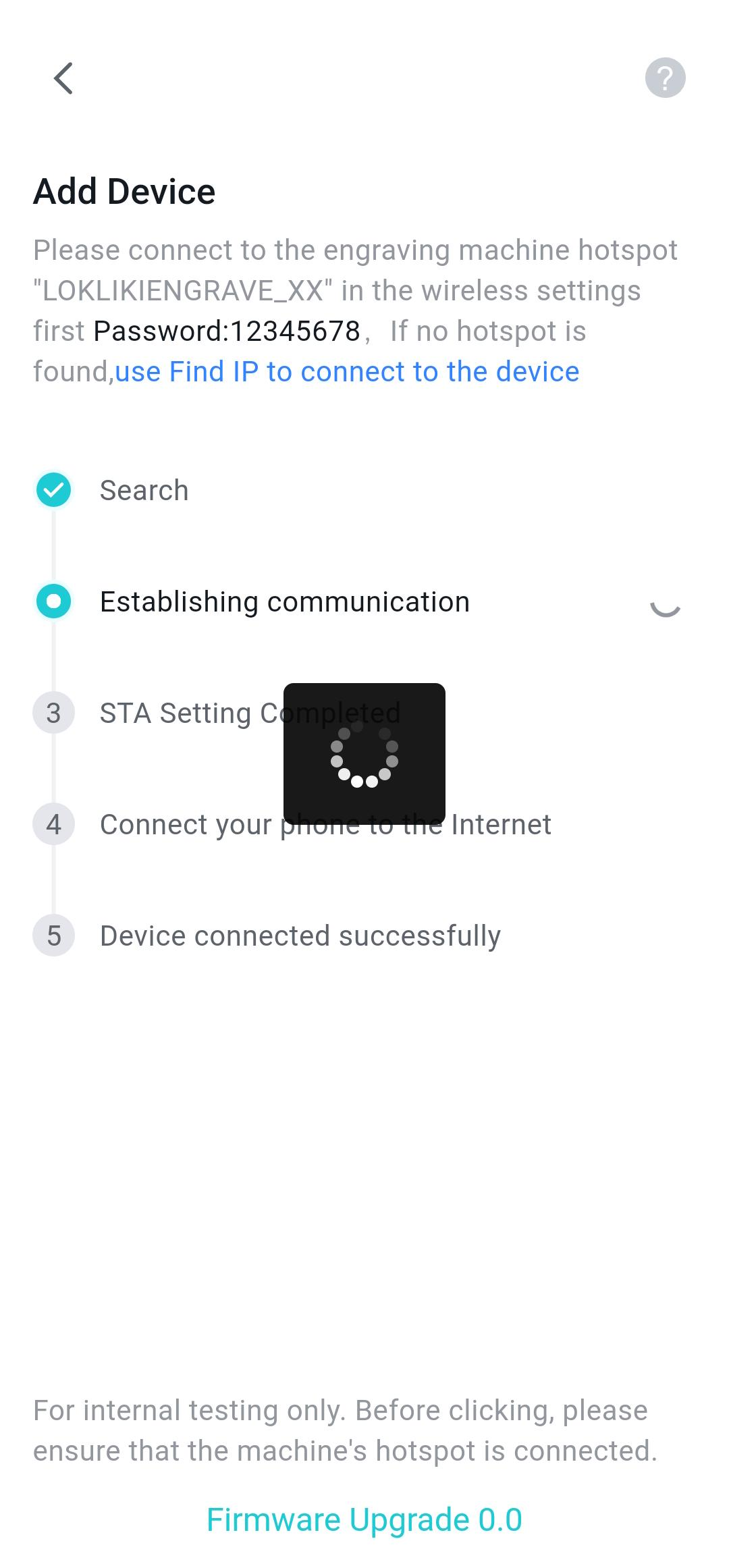
Remember your laser WiFi name and password and tap "Connect to Laser Engraver WiFi";
-
Turn on the WLAN and use the password to connect to your laser WiFi;
- Note: Please turn on your laser and ensure it can be used normally.
- If your phone failed to detect laser WiFi, please refer to "Unable to Find Device Hotspot (for devices already configured to a network)" for guidance.
-
Waiting for the laser to establish communication with the phone.
-
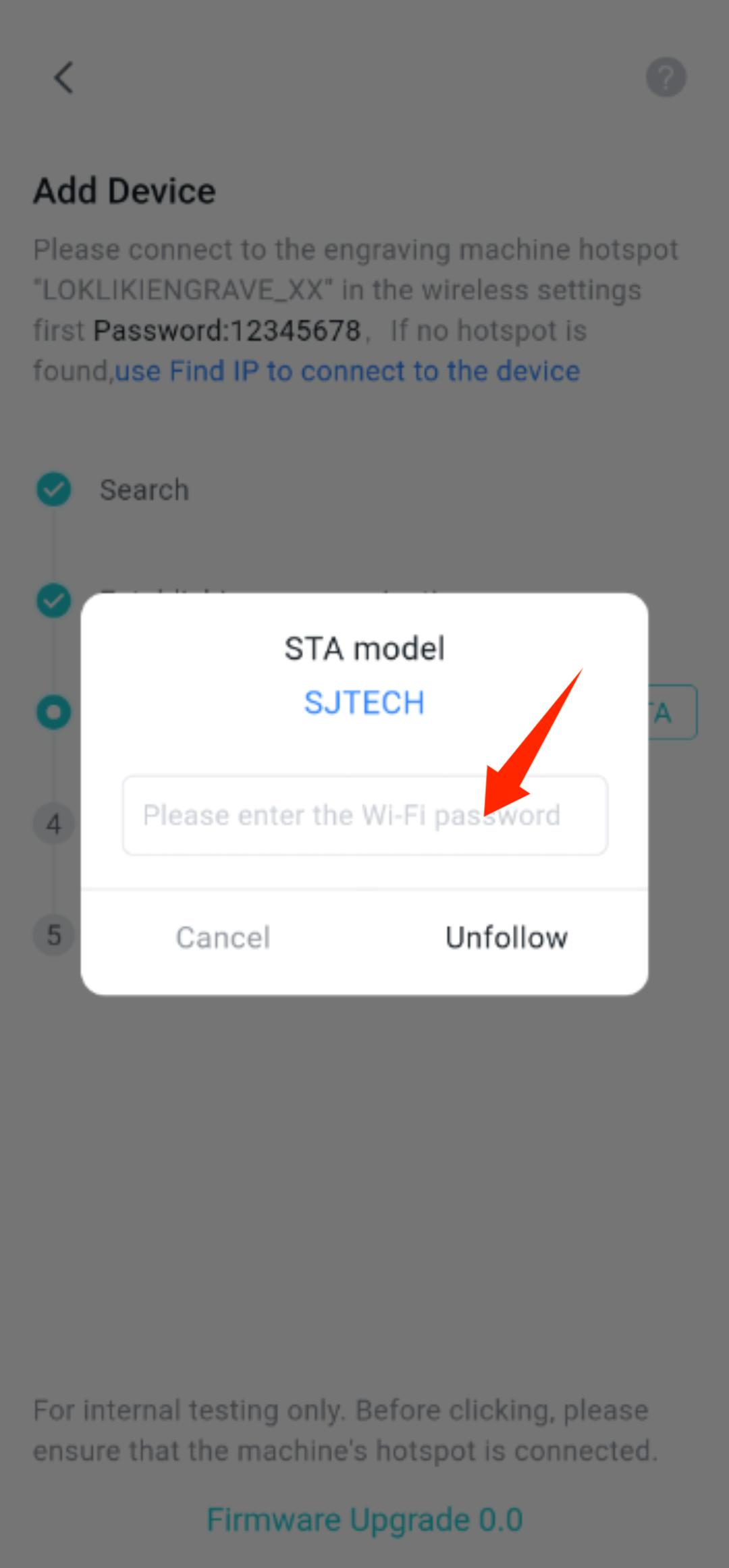
When setting up STA mode, select your home WiFi and tap the "Connect" icon to connect the laser to the home WiFi.
Step 4: Connection Success
-
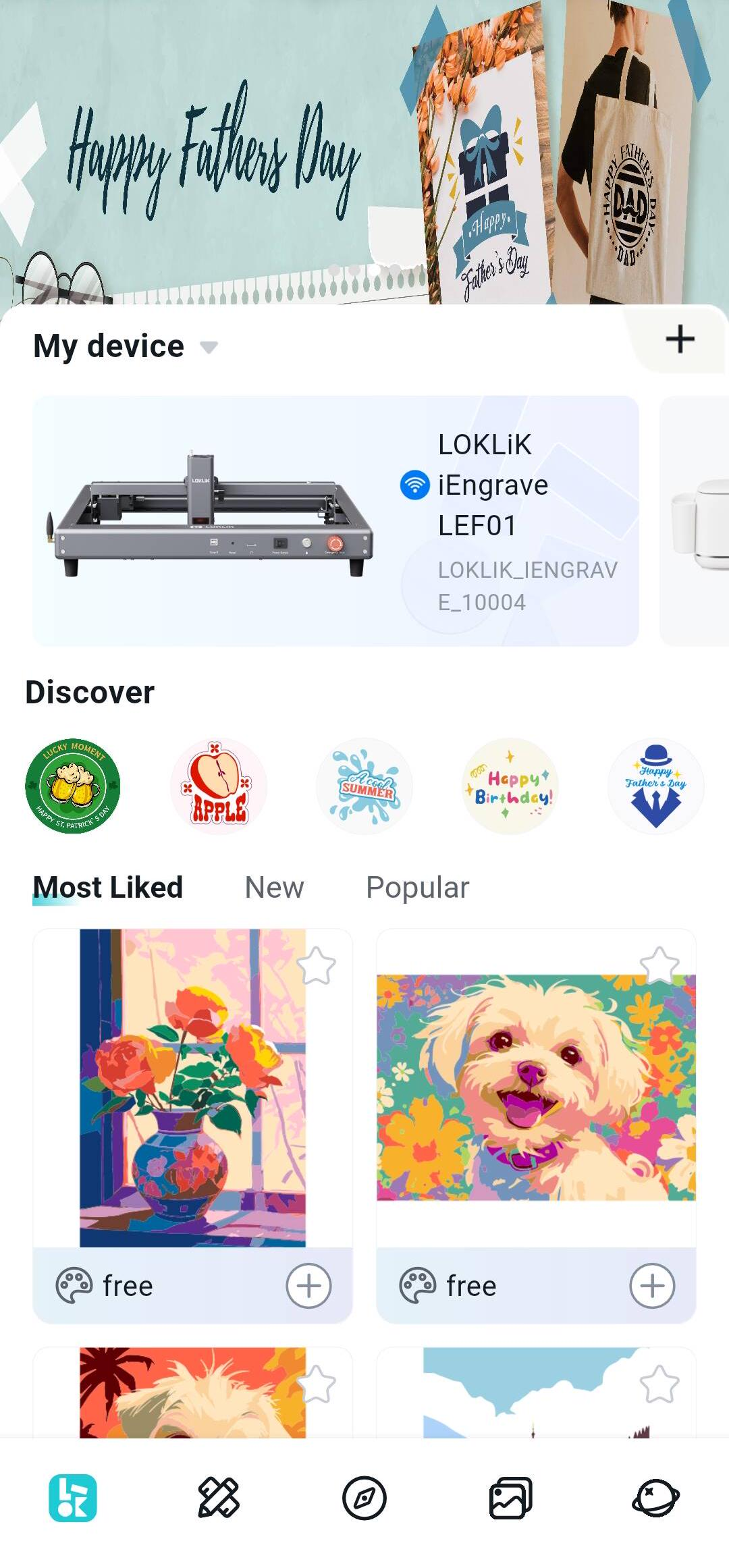
If the configuration succeeds, the laser will make a beep sound. You will see the connected laser in the "My Device" module. Now you are ready for engraving.
-
Note: If the connection fails, make sure the laser isn't being used by another device and is functioning properly. Restart the device and try connecting again.
Latest Articles
Other Guest Post
The Hidden Intelligence: How Heat Press DIY Activities Boost Your Child's Cognitive Development
Tia Isom
Heat press DIY activities with heat transfer vinyl do more than create custom t-shirts—they build fine motor skills, executive function, creativity, and self-efficacy. This article explores the research-backed cognitive benefits...
Parent-Child Heat Press Fun: Creating Pet-Themed T-Shirts Together
Tia Isom
A heartwarming family story: making Thanksgiving pet-themed T-shirts with kids using a heat press, regular HTV, and puff vinyl. Tips for creativity, bonding, and lasting memories.
How DTF Printers Make Your T-shirt Designs Come to Life
Tia Isom
DTF printers deliver vivid colors, sharp details, and lasting durability on almost any fabric. No weeding, no screen setup—just print, powder, cure, and press. Perfect for complex designs and small...
When Should You Use a Teflon Sheet? Heat Press Advanced Guide
Tia Isom
When to use a Teflon sheet in heat press projects—and when to keep it away. Essential for DTF curing, puff HTV, delicate fabrics; never use on tumbler or phone case...
Does Your Design Need Mirroring? One Article Explains It All
Tia Isom
Heat press mirroring made simple: HTV, DTF, and sublimation all require mirroring before cutting or printing. Learn why with the letter "R" test. Includes quick reference chart and golden rule.
The Fabric Code: The Ultimate Guide to HTV Heat Pressing on Different Materials
Tia Isom
HTV fabric compatibility explained: cotton, polyester, down jackets, knits, and leather. Learn the science of mechanical interlocking, coating interference, and plasticizer migration. Includes temperature settings and Teflon sheet tips.
The Science Behind Your Tumbler Heat Press: Why Do Designs Stick Forever?
Tia Isom
Discover the science behind sublimation on tumblers: solid dye becomes gas, bonds with polymer coating, and locks permanently inside. Learn temperature, time, pressure, and how to prevent ghosting and fading.
How to Maintain a Heat Press
Tia Isom
Keep your heat press running like new with proper maintenance—daily cleaning, weekly accuracy checks, monthly inspections. Extend machine life and achieve consistent, professional transfers every time.
Other Video
How to Use Auto Heat Press 2
Tia Isom
Your browser does not support the video tag. Watch the tutorial and discover how the HTVRONT Auto Heat Press 2 simplifies your heat transfer projects with its automatic features and...
What is A100 Auto Multi Heat Press
Tia Isom
The HTVRONT A100 Auto Multi Heat Press is an all-in-one 3-in-1 automatic heat press. With its tool-free quick-swap design, it handles flat press (T-shirts), hat press (caps), and tumbler press...
How to Heat Press Shirts with A100 Auto Multi Heat Press
Tia Isom
The HTVRONT A100 Auto Multi Heat Press is a 3-in-1 automatic heat press with tool-free quick-swap design for flat press, hat press, and tumbler press. This tutorial shows you how...
Love You, Mom! Business Inspiration for D2 DTF Printers
Tia Isom
No clogged printheads. No costly maintenance. No heavy upfront investment. The D2 DTF Printer is the worry-free start for your DTF business. The heat press featured in this video is...
Preheat, dry, and perform vacuum sublimation. New phone case ready
Tia Isom
Your browser does not support the video tag. The heat press featured in this video is the H17 Phone Case Heat Press — designed for precise, professional sublimation results at...
Making Cute Teddy Bear Phone Cases Using the H17 Heat Press - Sublimation Idea
Tia Isom
Your browser does not support the video tag. The heat press featured in this video is the H17 Phone Case Heat Press — a compact, easy-to-use machine designed specifically for...
Hand-Draw Your Love - Creative Sublimation Ideas for Phone Cases
Tia Isom
Your browser does not support the video tag. The heat press featured in this video is the H17 Phone Case Heat Press — designed to bring your hand-drawn artwork to...
Bring your DIY Kraft paper bag creations to life with the H1 Mini Heat Press
Tia Isom
Your browser does not support the video tag. The heat press featured in this video is the H1 Mini Heat Press — compact, portable, and perfect for DIY projects on...


Cart Unlocks Add-On Deals